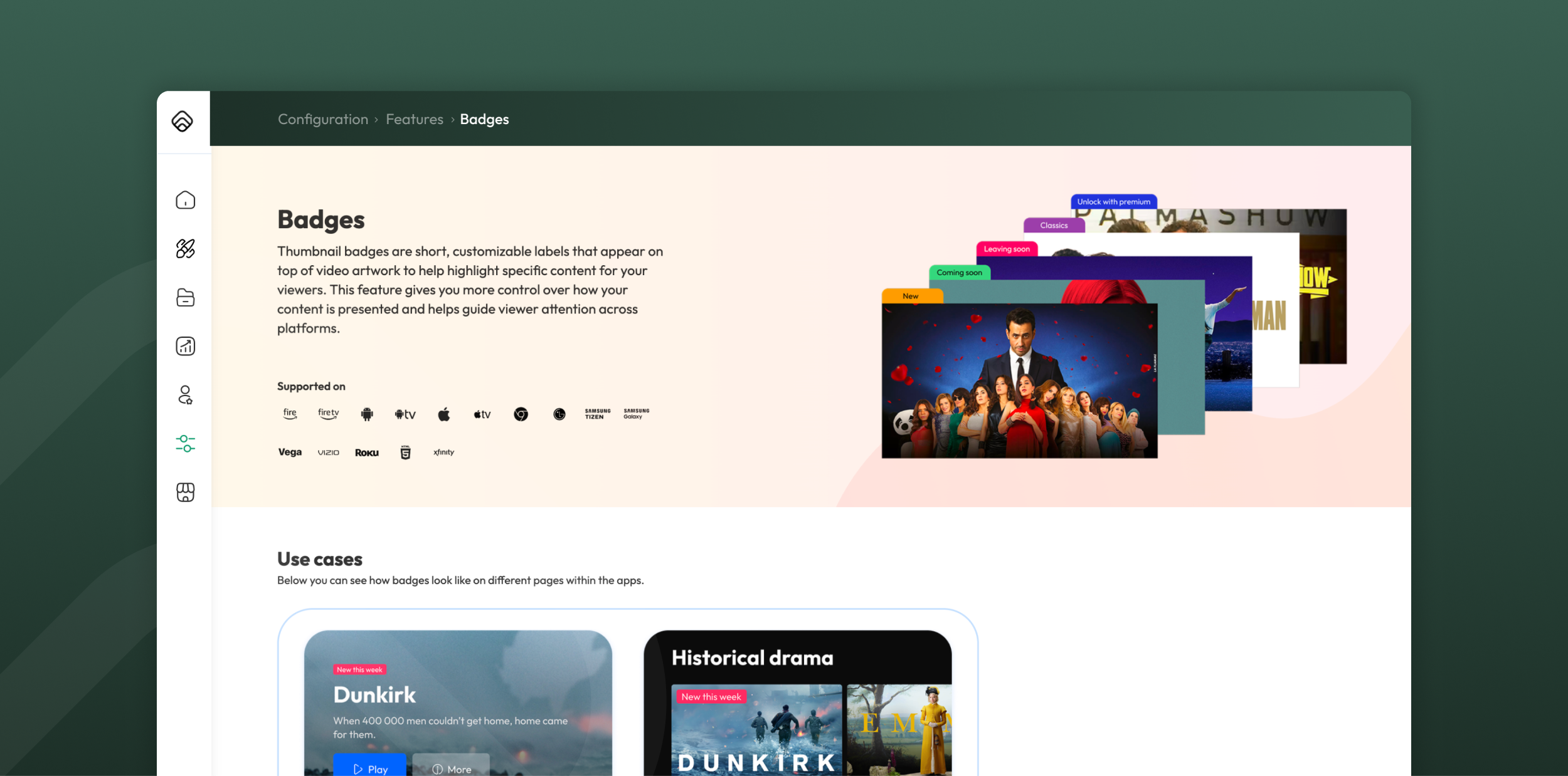
Most viewers decide what to watch within seconds of landing on a screen. Badges give them a reason to stop scrolling by flagging what's new, live, ending soon or worth a closer look. Here's how a small visual cue can shape the entire discovery experience.
The Leyra Team
With so much content to browse, viewers respond well to quick visual cues about what to watch next. Leyra's Badges feature adds that cue with clear labels on thumbnails. It highlights titles that are new, live, coming soon or about to leave, plus any other criteria you choose.
What can badges do for your service?
Badges are a small feature with a wide range of uses. Faced with too many options, viewers tend to feel overwhelmed rather than excited. A catalogue with hundreds of titles can trigger this kind of decision fatigue. Badges cut through this by narrowing attention to a handful of titles worth a second look. Here's what streaming service operators use them for.
- Push viewers towards live content. A Live badge draws attention the moment something is happening now. It helps viewers quickly find live sport, news or events.
- Give new content a spotlight. The New badge flags titles that have just become playable, so fresh additions don't get lost among older content. Clear, specific cues tend to perform better than viewers spotting freshness on their own. This mirrors how labelled recommendation rows outperform generic ones. You decide how many days a title counts as "new," matching the badge to your own release rhythm.
- Build anticipation ahead of launch. The Coming Soon badge marks titles that are published but not yet playable. It's a simple way to tease upcoming releases and build anticipation.
- Create urgency around expiring content. The Leaving Soon badge marks titles nearing the end of their availability window. This nudges viewers to watch before content disappears, lifting engagement on titles that might otherwise be overlooked. Urgency cues work best when they reflect a real constraint, not a manufactured one. That authenticity is why viewers act on them rather than tune them out. You control how far in advance the badge appears.
- Highlight whatever matters to your editorial strategy. The Editorial badge is the most flexible option. Rather than content status, it's driven by tags you define yourself. For example, you could mark titles "based on a true story," part of a franchise, or in a themed collection. This lets you surface curated angles that go beyond automated rules.
Each badge type serves a different purpose. Together, they shape discovery across a title's entire lifecycle: anticipation, freshness, live attention and timely urgency.
What do badges look like on a Leyra service?
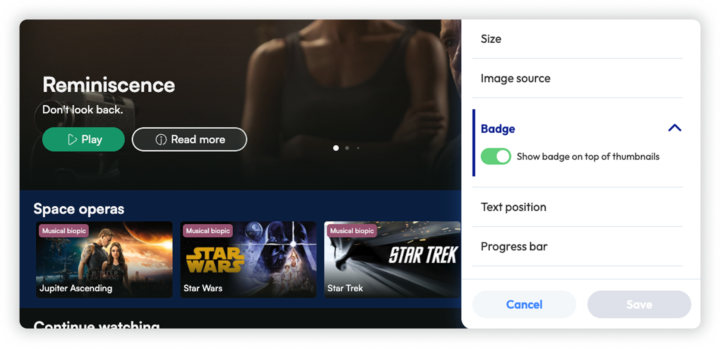
Badges appear as small call-outs in your brand's background colour, shown on top of thumbnails and above the video title in the hero container.
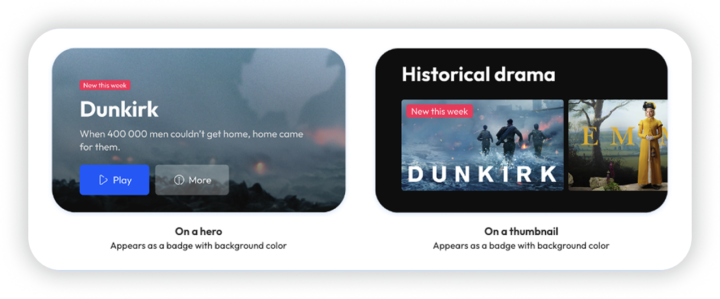
Only one badge shows at a time. Even if a title qualifies for several, one is displayed based on priority order. By default, that order is:
Live → New → Coming Soon → Leaving Soon
You can change this order by dragging and dropping badge items in the feature configuration in your Leyra admin.
Getting badges live on your service
You can manage badges in the Leyra tools - the rules you set apply based on content status or your own conditions. This reduces the need for maintenance to a minimum. You can also create custom badges that match your brand and content strategy.
Adding badges to your service is easy: simply go to the “Features” menu in Configurations. From there, you can activate the badge types you want. You can set how many days after publication the "New" label should expire, and how many days before an availability end date "Leaving Soon" should appear.
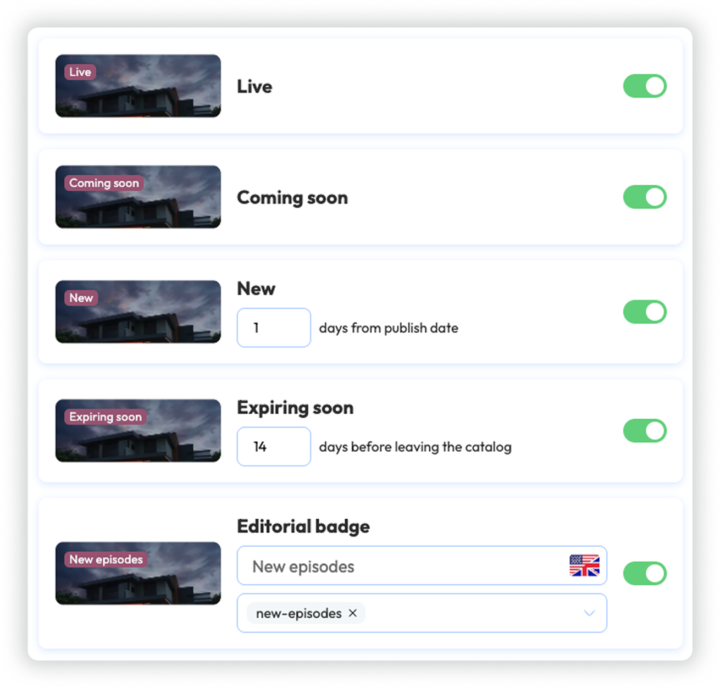
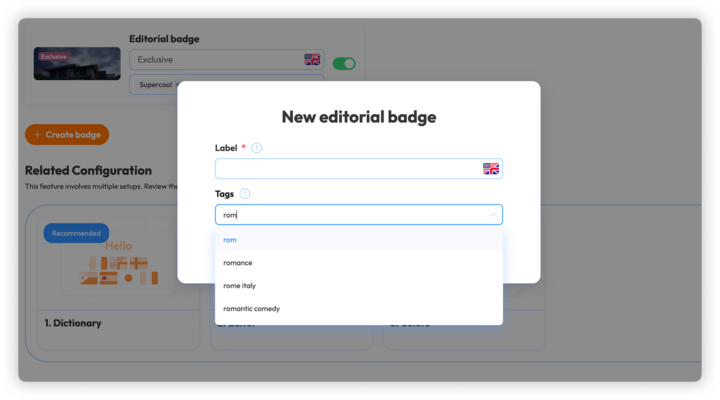
To add an Editorial badge, click "create new badge," enter the label you want viewers to see, and choose the content tags (set in the video management tool) it should apply to. For example, selecting "based on a true story" applies the badge to every title carrying that tag.
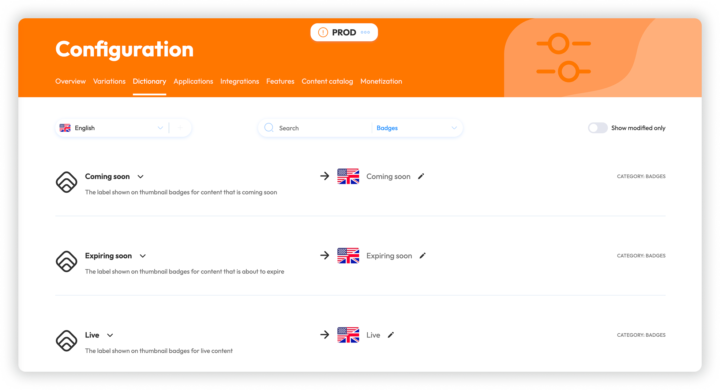
You can edit labels for the automated badges via the Dictionary prompt at the bottom of the configuration page.
When you first switch the feature on, badges are hidden across all containers by default. You choose where they appear by enabling them per container in the Editor, giving you full control.
You can customise both the background and text colors for badges in the “Colors” Configuration section. Clicking on the prompt at the bottom of the page will take you to the configuration.
Conclusion
By highlighting what's new, live, coming soon or leaving soon, badges help your catalogue feel timely and intentional. Once configured, they work automatically in the background, keeping content fresh and helping viewers discover what to watch next. It's a small feature that goes a long way towards making your OTT platform feel active and well curated.
If you are considering switching OTT platforms, book a demo with Leyra. We can talk through what your service needs next, the limitations you are running into and how Leyra could support the transition.
You can also download the full Leyra feature specifications to explore the platform in more detail.
Follow Leyra on LinkedIn for more insights on building, growing and evolving streaming services.